

In today’s tech-driven world, the importance of having the right computer setup cannot be overstated. Whether you’re a hardcore gamer, a creative professional, or simply someone who relies on a computer for everyday tasks, the heart of your computing experience lies within the computer tower. This unassuming box houses the brains of your system, and selecting the perfect one can greatly impact your overall computing experience. But with the plethora of options available in the market, how do you go about choosing the perfect computer tower that suits your needs? That’s where our power tips come in.
When it comes to choosing a computer tower, one size certainly does not fit all. Your ideal tower will depend on your specific needs and preferences. Are you a gaming enthusiast in need of a powerhouse to run the latest titles smoothly? Or are you a content creator looking for a tower that can handle demanding video editing tasks without breaking a sweat? Perhaps you’re simply looking for a compact tower that can fit seamlessly into your minimalist workspace. Whatever your requirements, the first step is to identify your needs clearly.
Once you’ve nailed down your requirements, the next step is to consider the form factor of your computer tower. Computer towers come in various shapes and sizes, with the most common being full-tower, mid-tower, and compact mini-tower designs. Full-tower cases offer ample space for high-end components and elaborate cooling systems, making them a favorite among gamers and professionals with demanding hardware needs. On the other hand, mid-towers strike a balance between size and functionality, making them a versatile choice for many users. Compact mini-towers, often called small form factor (SFF) cases, are perfect for those who prioritize space-saving designs.
In addition to form factor, airflow and cooling options are crucial considerations. Efficient airflow and cooling mechanisms can prolong the lifespan of your components and ensure that your system runs smoothly even under heavy loads. Some cases come with pre-installed fans and advanced airflow designs, while others offer the flexibility to customize your cooling setup.
As we delve deeper into the world of computer towers, we’ll explore these factors and more in greater detail, providing you with valuable insights and power tips to help you make an informed decision when selecting the perfect computer tower for your needs. Whether you’re a seasoned tech enthusiast or a newcomer to the world of computers, our guide will equip you with the knowledge you need to make a smart choice that enhances your computing experience. So, let’s dive in and discover how to make your computer tower selection an empowering experience!
Understanding Your Needs
When it comes to selecting the perfect computer tower or PC case, one size does not fit all. To make an informed choice, it’s crucial to understand your specific needs and preferences. By doing so, you can ensure that your investment aligns perfectly with your goals, whether it’s for a gaming rig, a workstation tower, or any other purpose.

Determining the Purpose of Your Tower
Before diving into the technical aspects of computer towers, ask yourself: What will be the primary function of this PC case? Are you building a gaming powerhouse, setting up an office workstation, or creating a home theatre hub? Each of these purposes requires a different set of considerations.
- Gaming Rig Housing: If you’re building a gaming rig, prioritise a tower with ample space for high-end graphics cards, efficient cooling, and room for future upgrades. Look for gaming-oriented features like RGB lighting and easy cable management to enhance your gaming experience.
- Office Workstation Tower: For office work, focus on a functional and quiet PC case. Consider compact tower options for small spaces and ergonomic features for comfort during long work hours. Silent PC case recommendations and efficient cooling solutions are essential.
- Home Theater PC: When building a home theatre PC, look for a stylish and compact tower design that complements your entertainment setup. Features like space-saving ideas, compatibility with mini-ITX components, and cable management are key.
Factors to Consider
Now, let’s delve into the factors you should consider when selecting a computer tower:
- Tower Form Factor: The tower form factor dictates the size and shape of your case. Options range from mini-towers to full-towers. Choose one that accommodates your components and fits your available space.
- Case Features: Evaluate the features offered by the PC case, such as front-panel ports, drive bays, and dust filters. These can greatly impact your daily use and convenience.
- Tower Materials: The materials used in the construction of the case affect its durability and aesthetics. Common options include steel, aluminium, and tempered glass. Select a material that aligns with your preferences.
- Custom PC Case: If you have unique requirements or a specific aesthetic in mind, consider custom PC case options. Customization allows you to tailor the tower to your exact specifications.
How to Choose a Computer Tower
Choosing the right computer tower is a pivotal decision in crafting your ideal computing experience. Whether you’re a gamer, creative professional, or everyday user, the tower’s form, features, and capabilities significantly impact your setup.
- When selecting a computer chassis, start by understanding your needs and purpose, be it a gaming rig, workstation tower, or home theatre PC.
- Consider the tower size that suits your space and components. Different tower form factors cater to varying requirements.
- Explore case features like front-panel ports, drive bays, and cable management for a streamlined experience.
- Assess the tower materials to ensure durability and aesthetics align with your vision.
- If you’re looking for budget-friendly computer chassis or affordable computer tower options, weigh the cost against the features you require.
- For a space-saving computer tower, opt for compact options designed for small spaces or explore silent PC case recommendations if noise is a concern.
Understanding your specific needs is the foundation of choosing the perfect computer tower or PC case. Consider your purpose, form factor, case features, and materials to make an informed decision that aligns with your goals, all while keeping budget-friendly and space-saving options in mind. Your computer tower should not only meet your technical requirements but also enhance your overall computing experience.
Size Matters: Tower Form Factor
The tower form factor is a critical factor when choosing a computer tower or PC case. It determines the size, shape, and compatibility of your case with various components. Understanding the importance of tower form factors is essential for making the right choice.

Exploring Various Form Factors
When it comes to tower form factors, there are several options available in the market. Let’s dive into some of the most common ones:
ATX (Advanced Technology Extended)
- ATX cases are known for their standard size and ample space for components.
- They are a popular choice for gaming rigs and workstations, offering room for multiple graphics cards and additional hardware.
Micro-ATX
- Micro-ATX cases are smaller than ATX but offer good compatibility.
- They are suitable for users who want a compact PC while still having room for essential components.
Mini-ITX
- Mini-ITX cases are the smallest form factor.
- They are perfect for building compact and space-saving systems.
- Mentioning ‘top-rated mini-ITX cases’ is relevant here, as it highlights the best choices within this form factor.
Choosing the Right Form Factor
To determine the ideal form factor for your needs, consider the following factors:
- Purpose: Think about whether you’re building a gaming rig, a workstation, or a compact home theatre PC. Each purpose may have different space and performance requirements.
- Available Space: Assess the space where you plan to place your computer tower. Ensure it fits comfortably without causing space constraints.
- Component Compatibility: Check if your desired form factor can accommodate the components you intend to use, including the motherboard size and graphics card length.
- Future Upgrades: Consider future expansion possibilities. A larger form factor might be better if you plan to add more hardware in the future.
Considering Your Budget
When it comes to choosing a computer tower or PC case, budget considerations play a vital role in making the right decision. Understanding the importance of budget constraints can help you find the best value for your money while meeting your computing needs effectively.
Recommendations for Budget-Friendly Options
If you’re on a tight budget, rest assured that there are excellent options available that won’t break the bank. Here are some recommendations for budget-friendly computer towers, including the keyword ‘best gaming tower under $100’:
- Corsair Carbide Series 100R: Priced under $100, this tower offers a sleek design, decent airflow, and ample room for components, making it a great choice for budget-conscious gamers.
- NZXT H510: Known for its aesthetics and affordability, the NZXT H510 is an excellent option for both gaming and general use. It offers cable management features and good thermal performance.
- Cooler Master MasterBox Q300L: This compact case is budget-friendly and perfect for small spaces. It offers flexibility for component installation and is well-suited for office setups.
Factors to Evaluate for Affordability
To ensure you’re making the most of your budget, consider the following factors when selecting a budget-friendly computer tower:
- Tower Materials: Pay attention to the materials used in the case’s construction. Budget cases may use steel or plastic instead of premium materials like aluminium or tempered glass. Choose one that balances cost and durability.
- Included Features: Some budget cases may lack advanced features, such as built-in RGB lighting or extensive cable management options. Assess your priorities and determine which features are essential for your setup.
- Compatibility: Ensure that the budget-friendly case can accommodate your chosen components, including the motherboard size, graphics card length, and cooling solutions.
- Thermal Performance: Check user reviews to gauge the thermal performance of the case. Adequate airflow is crucial to prevent overheating, even on a budget.
Budget considerations are crucial when selecting a computer tower or PC case. By understanding the significance of budget constraints and exploring budget-friendly options, you can find a computer tower that provides excellent value for your money without compromising on quality and performance. Whether you’re a gamer on a tight budget or looking for an affordable office setup, there are options available to meet your needs and deliver a satisfying computing experience.
Functionality and Features
When it comes to selecting a computer tower or PC case, the right features can significantly enhance your computing experience. Whether you’re a gamer, a professional, or a casual user, certain key features should be on your radar to ensure your computer tower meets your needs efficiently.
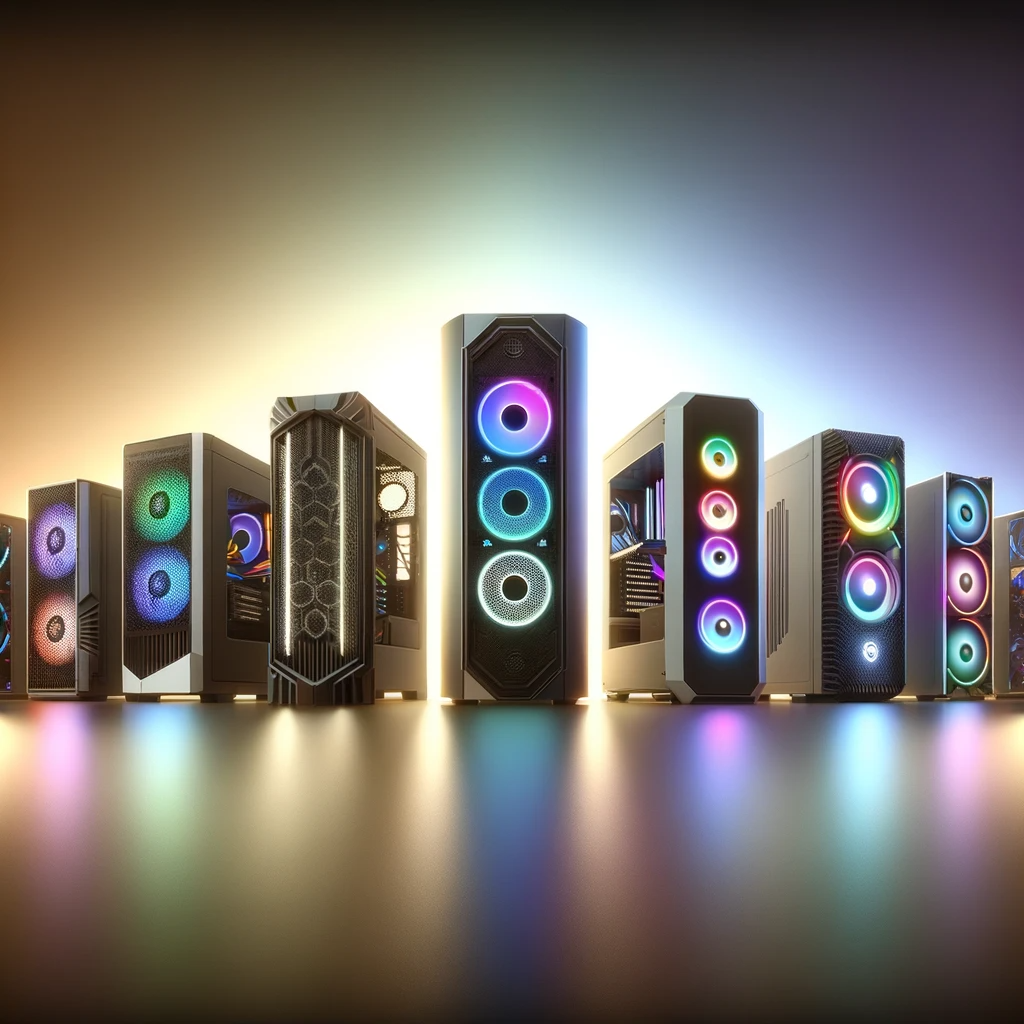
Cooling Solutions for Computer Towers
Effective cooling is essential to prevent overheating and maintain the longevity of your components. Look for the following cooling solutions in a computer tower:
- Ventilation: Ensure the case has adequate ventilation, including intake and exhaust fans. Proper airflow is vital for dissipating heat.
- Fan Mounts: Check if the case has additional fan mounts for customization. This allows you to install extra fans for improved cooling performance.
- Air Filters: Consider cases with dust filters to prevent dust buildup, which can obstruct airflow and lead to overheating.
Ergonomic Tower Case Features
Ergonomics plays a crucial role in ensuring your computer tower fits seamlessly into your workspace. Look for ergonomic features such as:
- Cable Management: A case with well-planned cable management options keeps your setup tidy and minimises clutter.
- Tool-Free Design: Cases with tool-free installation make it easier to access components and upgrade your system without the need for additional tools.
- Easy Component Access: Choose a case that allows easy access to components like hard drives, SSDs, and RAM for hassle-free upgrades.
Optimising Airflow in a Computer Tower
Optimising airflow is vital for maintaining a cool and efficient system. Here are tips for improving airflow in your computer tower:
- Proper Fan Placement: Position fans strategically to ensure a smooth flow of air through the case. Intake fans should bring in cool air, while exhaust fans should expel hot air.
- Cable Management: Neatly route cables to avoid blocking airflow paths. Use cable ties or Velcro straps to keep cables organised.
- CPU Cooler: Invest in an efficient CPU cooler that ensures proper heat dissipation from the processor.
Water Cooling Compatibility for Computer Chassis
If you’re considering advanced cooling solutions, check if the computer tower is compatible with water cooling systems. Look for features such as:
- Radiator Support: Ensure the case has space for radiator installation. Different cases support various radiator sizes, so choose one that fits your cooling needs.
- Pump and Reservoir Mounts: Some cases come with designated mounts for pumps and reservoirs, making it easier to set up a water cooling loop.
- Tube Routing Options: Consider a case that offers convenient tube routing options to simplify water cooling installation.
The functionality and features of a computer tower are essential considerations when making your selection. Cooling solutions, ergonomic features, and airflow optimization contribute to the overall performance and usability of your PC. Whether you’re a gamer seeking efficient cooling or a professional looking for ergonomic design, these key features should approach your decision-making process. Additionally, for those considering water cooling, ensure that the tower is compatible with such advanced cooling solutions to meet your specific needs effectively.
Style and Aesthetics
When it comes to choosing a computer tower or PC case, design and aesthetics are more than just superficial concerns. The visual appeal of your computer tower can have a significant impact on your overall computing experience, making it an essential aspect to consider.
Stylish and Unique PC Case Designs
PC case manufacturers have recognized the importance of style and aesthetics, leading to a wide range of stylish and unique designs. Here are some trends and designs to look out for:
- Minimalist Elegance: Clean, minimalist designs with sleek lines and a focus on simplicity are popular choices. These cases blend seamlessly into any environment.
- RGB Lighting: For gamers and enthusiasts, RGB lighting options allow for customization and add a vibrant and dynamic element to your setup.
- Tempered Glass Panels: Cases with tempered glass side panels showcase your internal components and create a stunning visual effect. It’s like a window into your PC’s world.
- Unique Shapes: Some cases deviate from traditional rectangular shapes, offering unconventional and eye-catching designs for those seeking something different.
Complementing Your Setup
The style and aesthetics of your computer tower should harmonise with your overall setup, whether it’s for a home theatre or a gaming rig:
- Home Theater PC: In a home theatre setup, consider a case that complements your entertainment centre’s design. Sleek and unobtrusive cases blend seamlessly, while unique designs can become a statement piece.
- Gaming Rig: Gamers often seek cases that match the theme of their gaming setup. Whether it’s a futuristic look, a classic design, or a specific colour scheme, the case can enhance the gaming experience.
The design and aesthetics of your computer tower or PC case are essential considerations when choosing the right one for your needs. A stylish and visually appealing case can enhance the overall look of your setup, whether it’s for a home theatre or a gaming rig. With a wide range of unique and stylish PC case designs available, you have the flexibility to find a case that not only houses your components effectively but also adds a touch of personal style to your computing environment.
Conclusion
In conclusion, selecting the perfect computer tower is a crucial step in building a system that meets your needs and preferences. The journey to finding the ideal tower involves careful consideration of various factors, and we’ve provided you with ten power tips to simplify this process.
First and foremost, understanding your specific requirements is the foundation of a successful choice. Whether you’re aiming for a gaming rig, an office workstation, or a home theatre PC, knowing your purpose approaches your decisions throughout the selection process.
The tower form factor plays a pivotal role, in determining the size and compatibility of your case with your components and available space. It’s crucial to choose one that suits your specific needs and aligns with your system’s intended purpose.
Budget considerations are essential, and we’ve offered recommendations for budget-friendly options that provide excellent value without compromising on quality. Finding the right balance between affordability and performance is key.
When it comes to functionality and features, cooling solutions, ergonomics, and cable management are critical aspects to ensure your tower operates efficiently and comfortably. Optimising airflow and considering water cooling compatibility can further enhance your system’s performance.
Lastly, don’t underestimate the importance of style and aesthetics. Your computer tower’s design can complement your overall setup, whether it’s a home theatre or a gaming rig. With the plethora of stylish and unique PC case designs available, you can add a personal touch to your computing environment.
FAQs
How do I choose the right computer tower for my needs?
To choose the right computer tower, consider factors like your intended use (gaming, workstation, etc.), available space, and future upgrade potential. Ensure it accommodates your motherboard size, has sufficient cooling options, and enough drive bays and ports. Look for cable management features and aesthetics that suit your preferences.
What factors should I consider when selecting a PC case?
When selecting a PC case, consider factors like size, airflow, cable management, build quality, expansion options, and aesthetic appeal. Ensure it fits your motherboard and components comfortably and has adequate cooling options to prevent overheating.
Are there different types of computer tower form factors?
Yes, there are various form factors like ATX, Micro-ATX, Mini-ITX, and more. Choose one that matches your motherboard and suits your space and component needs.
Can you recommend a good gaming rig housing?
For gaming, consider cases like the NZXT H510, Phanteks Eclipse P400A, or Cooler Master MasterBox TD500. These offer good airflow, cable management, and aesthetics.
What should I look for in a workstation tower?
In a workstation tower, prioritise expandability, cooling capacity, noise reduction, and build quality. Cases like the Fractal Design Define 7 or Corsair Obsidian 500D are suitable options.
Which materials are commonly used for computer cabinets?
Common materials include steel, aluminium, and tempered glass. Steel offers durability, while tempered glass adds aesthetics and visibility.
Are there specific features I should prioritise in a tower case?
Focus on features like airflow, cable routing options, dust filters, tool-less drive bays, and expansion slots that align with your needs.
What is the significance of tower size in PC cases?
Tower size affects the number of components you can fit and airflow. Larger cases offer more space for customization and cooling options but may take up more room.
How can I customise my computer case for a unique look?
Customise your case with LED lighting, custom paint jobs, decals, and modding parts. Many cases offer window panels to showcase your modifications.
Are there options for water cooling in computer enclosures?
Yes, many cases have radiator mounts and provisions for water-cooling setups. Ensure your case has sufficient space and support for your chosen water-cooling solution.
What are the best practices for cable management in PC cases?
Route cables neatly, use cable ties or Velcro straps, and utilise cable management grommets or channels provided by the case. This improves airflow, aesthetics, and ease of maintenance in your PC.